

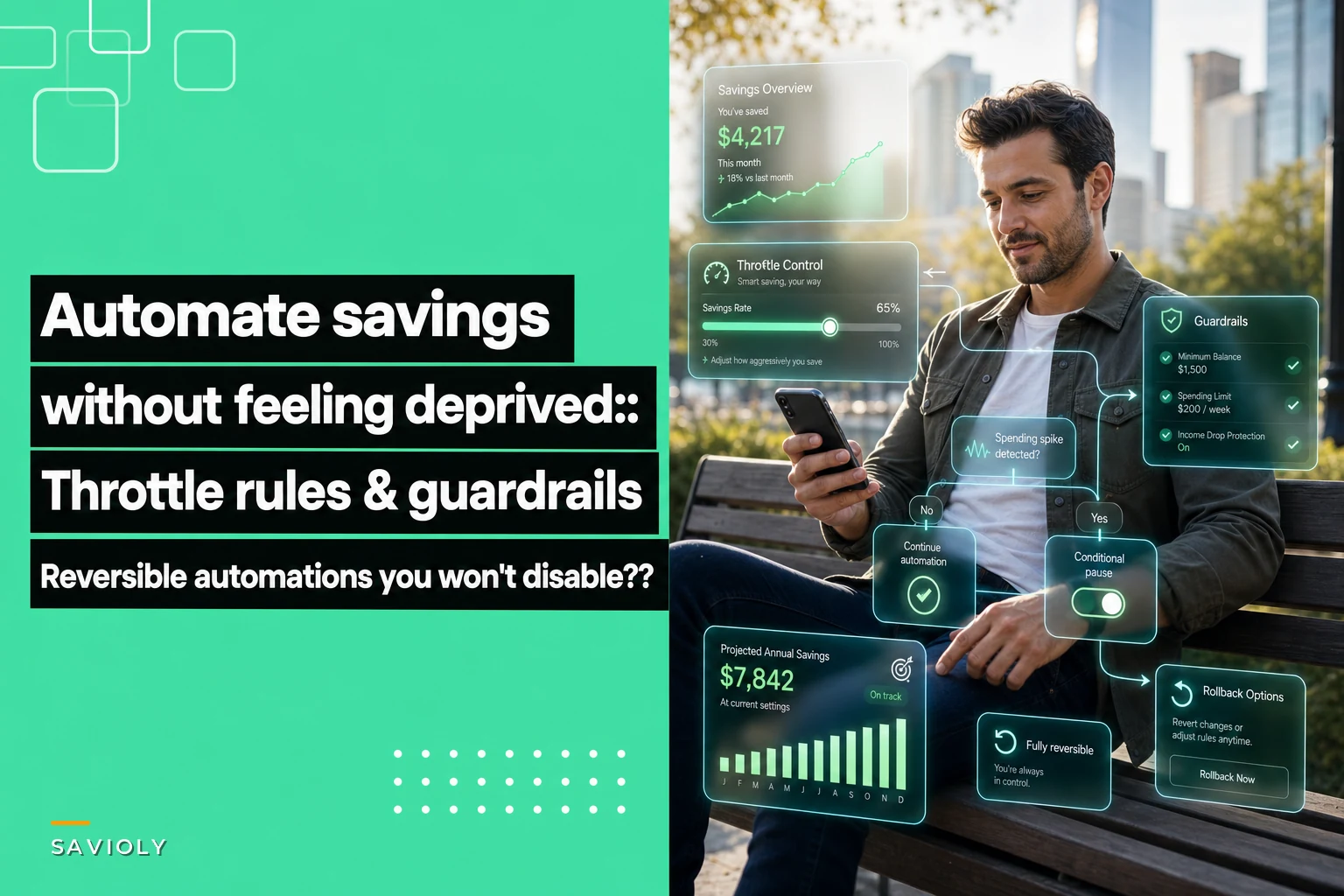

Most people set up automatic transfers to savings, feel broke two weeks later, then disable everything and start over next month. The cycle repeats because rigid automation doesn't match how money actually moves through real life.
The problem isn't discipline. Standard savings automation acts like a bulldozer when what you actually need is something closer to a smart thermostat—something that adjusts based on conditions, protects against extremes, and can dial back without shutting down entirely.
People who succeed long-term don't just set transfers and forget them. They build systems with escape hatches, throttle controls, and enough monitoring to stop the automation from becoming its own problem.
Why rigid automation triggers the disable-everything response
Your checking account hits $400 and rent is due in four days. The automated transfer is scheduled for tomorrow. You know the overdraft fee will cost more than a month of savings progress.
So you turn off the automation. Then you forget to turn it back on. Three months pass.
This pattern destroys more savings plans than any spending problem. The automation becomes the adversary instead of the assistant because it can't read the room.
Traditional advice says to "pay yourself first" and "automate everything," but that assumes steady income, predictable expenses, and perfect timing. Real life has irregular freelance payments, surprise medical bills, and months where three annual subscriptions hit at once.
The throttle approach: variable automation based on buffer zones
Instead of on/off automation, throttle-based systems adjust the savings rate based on your current financial position. Think cruise control that slows down going uphill instead of maintaining speed until the engine blows.
Take charge of your finances with clarity and confidence.
Savioly gives you real-time visibility and actionable steps to improve your money management.
- Automated expense tracking
- Goal-based saving plans
- Personalized financial insights
No credit card required
Buffer zones and corresponding savings rates:
-
Below $1,000 checking
Pause all savings transfers
-
$1,000–$2,000
Save 5% of deposits
-
$2,000–$3,500
Save 15% of deposits
-
$3,500–$5,000
Save 25% of deposits
-
Above $5,000
Save 35% of deposits
These aren't magic numbers—adjust them based on your monthly expenses. The point is having multiple speeds instead of just stop and go.
| Balance range | Savings rate |
|---|---|
| Below $1,000 checking | Pause all savings transfers |
| $1,000–$2,000 | Save 5% of deposits |
| $2,000–$3,500 | Save 15% of deposits |
| $3,500–$5,000 | Save 25% of deposits |
| Above $5,000 | Save 35% of deposits |
Someone with $2,800 in monthly expenses might set their pause threshold at $3,500 (roughly 1.25x monthly expenses), while someone with $5,000 in monthly expenses would set it closer to $6,250.
The percentage increases don't need to be linear either. You might want aggressive savings when flush but gentle savings when recovering—5%, 10%, 15%, 40%. Or steady increases across the board: 10%, 20%, 30%, 40%. There's no single right answer.
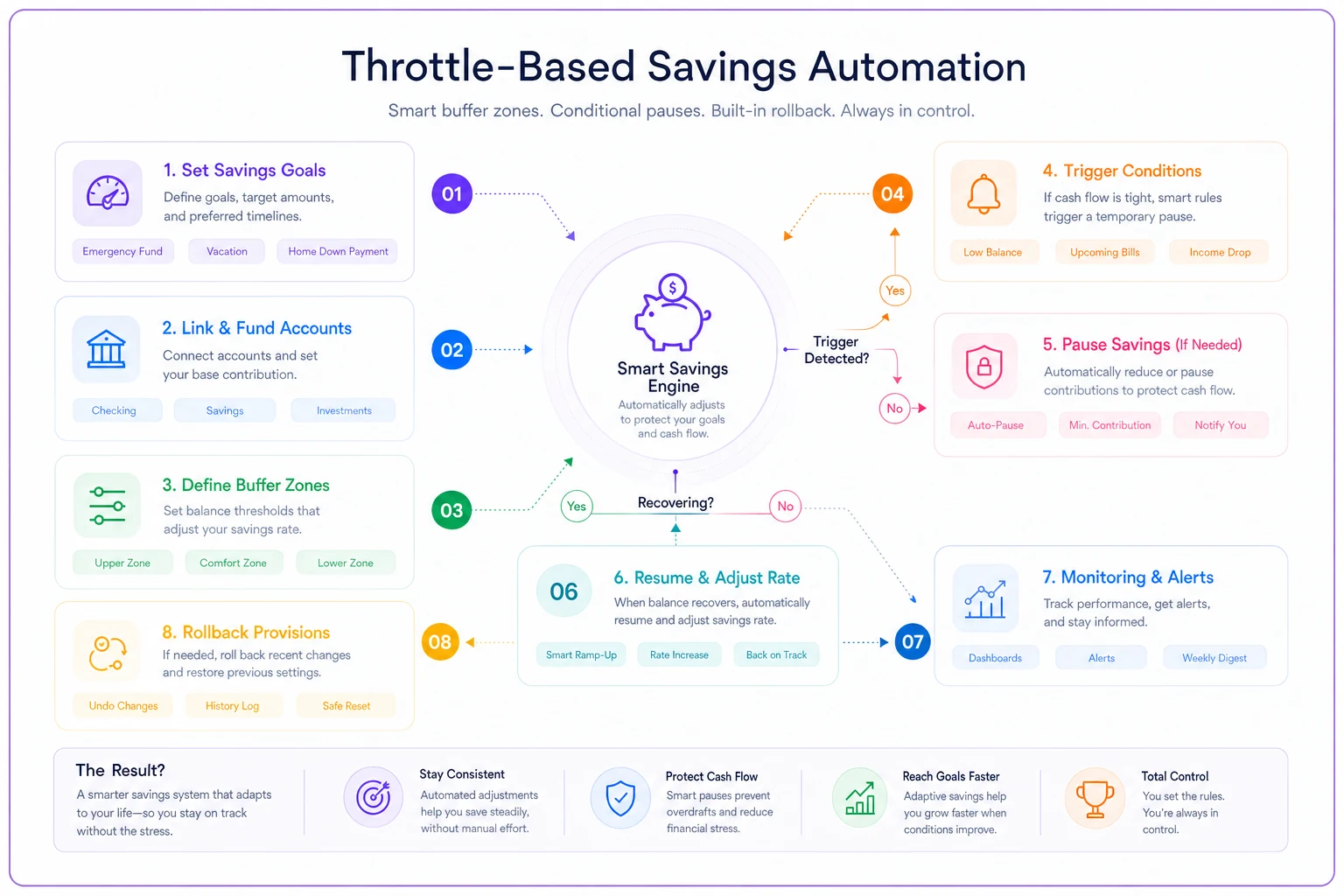
This diagram shows how the throttle, pauses, rollbacks, and monitoring fit together.
There isn't a single right answer.
Conditional pauses that prevent cascade failures
Beyond throttling based on balance, you need conditional pauses for specific situations that temporarily override normal operations. These aren't permanent off switches—they're pressure release valves that keep the system from blowing up.
Common conditional pause triggers:
-
Any single expense over $500 hits
pause for 7 days
-
Balance drops more than 30% in 48 hours
pause for 10 days
-
Three or more subscription renewals in one week
pause until next paycheck
-
Account balance lower than same day previous month
pause and review
Pause duration matters as much as the trigger. Too short and you haven't actually solved anything. Too long and you lose momentum. Most people find 7–10 day pauses work better than full month pauses.
You can also build graduated pauses. First trigger causes a 3-day pause. Second trigger within two weeks causes a 7-day pause. Third trigger within a month switches to manual review mode.
Rollback provisions: the undo button that maintains trust
Even with throttles and conditional pauses, sometimes the automation needs to reverse itself. Without rollback provisions, people disable everything at the first sign of trouble because they don't trust it to self-correct.
A rollback system moves money back from savings when specific conditions occur:
-
Checking drops below 50% of normal threshold for 3+ days
-
Pending charges exceed available balance
-
Emergency flag manually triggered (limited to twice per quarter)
The rollback should be smaller than the original transfer to prevent gaming the system. If you saved $500 this month but hit trouble, maybe $300 flows back. That still preserves some progress while giving you breathing room.
Some people prefer percentage-based rollbacks—recover 60% of the last transfer, or 40% of the last two weeks of transfers. Others prefer fixed amounts: maximum $200 rollback regardless of recent savings.
The goal is making rollback automatic but not effortless. You want it to catch genuine problems without becoming a casual withdrawal mechanism.
Monitoring rules that spot problems before they hurt
Most savings automation fails silently. Transfers stop working, rules break, or the system saves when it shouldn't—and you don't notice until the damage is done.
Weekly health checks:
-
Did expected transfers execute?
-
Is checking balance within normal range?
-
Are savings growing at expected rate?
-
Any unusual patterns in spending categories?
Monthly deeper reviews:
-
Compare actual vs planned savings rate
-
Review any pauses or rollbacks triggered
-
Adjust thresholds based on spending patterns
-
Check if rules still match your life situation
Quarterly rule adjustments:
-
Revise buffer zones based on expense changes
-
Update savings percentages based on income stability
-
Modify pause triggers based on what actually happened
-
Simplify any rules that caused confusion
It doesn't need to be a daily thing, but it can't be completely passive either. Five minutes weekly and maybe 20 minutes monthly is usually enough to keep things calibrated.
Sample templates for different income patterns
The right structure depends on how money flows through your life. Here are three setups worth considering:
Steady Paycheck Template
Biweekly income around $2,400, monthly expenses around $3,200
Thresholds:
-
Under $2,000
pause all savings
-
$2,000–$3,500
save $150 per paycheck
-
$3,500–$5,000
save $300 per paycheck
-
Over $5,000
save $500 per paycheck
Pauses:
-
Any expense over $400
skip next savings transfer
-
Balance below $1,500 on the 25th
pause until next month
Rollback:
-
If balance stays below $1,000 for 3 days
return 50% of last transfer
Irregular Freelance Template
Income varies from $2,000 to $8,000 monthly, expenses around $2,800
Thresholds:
-
Under $3,500
no automated savings
-
$3,500–$5,000
save 10% of any deposit over $500
-
$5,000–$8,000
save 20% of any deposit over $500
-
Over $8,000
save 35% of any deposit
Pauses:
-
No deposits for 10 days
pause all automation
-
Balance decreasing for 5 straight days
pause for one week
Rollback:
-
If no income for 3 weeks
return last 2 transfers (max $1,000)
Commission Plus Base Template
Base salary $2,000 monthly, commission varies from $0 to $4,000
Thresholds:
-
Save nothing from base salary
-
Save 40% of commission under $1,000
-
Save 50% of commission from $1,000–$2,500
-
Save 60% of commission over $2,500
Pauses:
-
Month with no commission
pause all automation
-
Back-to-back months under $500 commission
reduce to 20% rate
Rollback:
-
Two months without commission
return 30% of previous quarter's savings
Each of these can be adjusted. The templates are a starting point, not a prescription. Your actual thresholds should reflect your real monthly expenses, not someone else's.
Software tools that handle conditional logic
Manual throttling and monitoring gets exhausting fast. Most bank apps can't handle conditional logic beyond a basic recurring transfer. You need tools built for responsive automation.
Banking apps with rules: Some newer banks let you create if-then rules—"if balance above X, transfer Y" type stuff. Usually limited to 3–5 rules and fairly basic conditions.
IFTTT or Zapier connections: Connect your bank to automation platforms that can check balances, trigger transfers based on conditions, and send alerts. Requires your bank to have API access.
Dedicated savings apps: Apps built specifically for automated savings often include throttling and pause features. Some monitor your spending patterns and adjust automatically.
Spreadsheet monitoring: Not automated, but a weekly spreadsheet check can trigger manual adjustments. Track balance trends, flag when to pause, calculate transfer amounts.
Financial management platforms: Comprehensive platforms that combine budgeting, savings automation, and spending analysis. These can run more complex rules across multiple accounts.
The tool matters less than having clear rules. A simple spreadsheet with weekly manual adjustments beats complex automation you don't fully understand.
AI-powered operational software can orchestrate these kinds of financial workflows the same way it handles business operations—setting up throttle rules, monitoring thresholds, and rollback conditions in one place. Some of these systems can even spot patterns in your financial flow and flag rule adjustments before problems surface. That said, the logic still needs to come from you. No tool fixes a poorly designed ruleset.
Preserving momentum when life disrupts the system
Perfect months are rare. Kids get sick, cars break, jobs change. The system needs to bend without breaking—and restart without shame.
Momentum comes from consistency over time, not perfection every month. A system that saves $200 in good months and $20 in tight months beats one that saves $500 in good months then gets disabled for three months straight.
When automation feels oppressive, you'll find ways to break it. When it feels like it's working with you, you'll protect it.
Recovery matters too. After a pause or rollback, ease back in rather than jumping to full speed. If you paused two weeks due to unexpected expenses, restart at 50% rate for the first week back.
Avoiding the common mistakes that break flexibility
The biggest mistake is making the system too complex. Twelve threshold levels with percentages calculated to the decimal will confuse you within a few months. Start with 3–4 simple levels and basic round numbers.
Another common one: setting thresholds based on your best months instead of normal months. If you set your pause threshold at $800 because you survived on that once, you'll hit it constantly and lose faith in the whole setup.
Setting rollback too easy creates a different problem. If money flows back from savings every month, you're not really saving—you're just temporarily parking money. Rollback should feel like an emergency brake, not a regular feature.
And ignoring the system for too long causes drift. Rules that made sense in January might be completely wrong by June. Quarterly reviews aren't optional—they're what keeps it relevant.
The warning signs your automation needs adjustment
Watch for these patterns:
You're manually pausing automation more than once a month. The thresholds are probably too aggressive or the pause triggers too narrow.
Your savings balance hasn't grown in two months despite no major expenses. The throttle levels might be too conservative or the rollback too generous.
You're constantly stressed about whether the automation will cause problems. The monitoring isn't working or the safety margins are too thin.
You've disabled the entire system twice in six months. The core design doesn't match your financial reality.
Money keeps bouncing between accounts without accumulating anywhere. The rollback triggers are fighting the savings rules.
None of these are failures—they're feedback. Each problem points toward a specific adjustment that makes the system more sustainable.
Making peace with imperfect progress
Savings automation with guardrails isn't about maximizing every dollar saved. It's about building something that survives real life.
Some months you'll save less than you could have. That's fine. The months where traditional automation would have caused an overdraft cascade, but your system throttled back instead—that's when the flexibility actually pays off.
A system that saves $3,000 a year for five years beats one that saves $5,000 in year one and gets abandoned.
Building reversible, throttled automation takes more setup than "transfer $500 monthly forever," but it creates something that actually lasts. When the system adapts to your life instead of fighting it, you stop needing willpower to keep it running. The perfect savings rate is the one that's still running next year.
Ready to master your money?
Join thousands of users leveraging Savioly to build smarter budgets, save more efficiently, and plan for a secure financial future.