

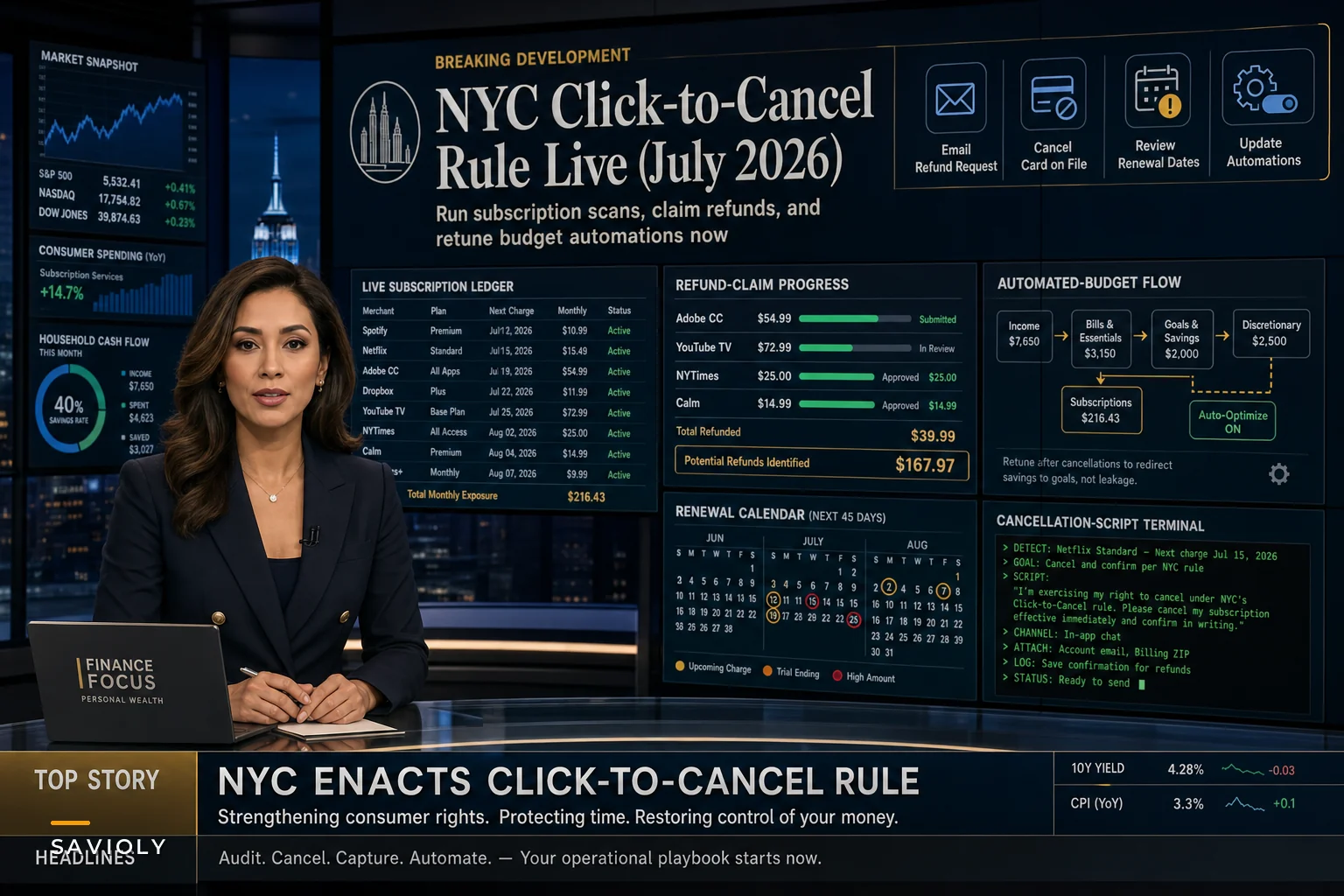

Last week, New York City announced landmark consumer protection rules requiring businesses to make canceling subscriptions as easy as signing up. The regulation takes effect October 2026, which means subscription companies operating in NYC are scrambling to update their cancellation flows right now.
For anyone managing personal finances with recurring subscriptions, this creates an unusual window. Vendors are updating systems. Some are proactively loosening cancellation restrictions to get ahead of compliance. Others might temporarily tighten terms while they figure out implementation. That messy gap between announcement and enforcement is actually your best shot at cleaning house on zombie subscriptions and recapturing money that's been quietly leaving your accounts.
The average person carries around 11 active subscriptions according to recent tracking data, but when you actually go line by line through bank statements, that number tends to land closer to 14 or 15. Those extra few are the $7.99 language learning app from 2023, the meditation platform from lockdown, the premium weather app that auto-renewed after a free trial. Small enough to ignore month-to-month, but collectively around $840 annually in pure waste.
The compliance scramble creates three immediate opportunities
Subscription vendors hate cancellations. Their entire business model depends on friction—seamless signup, painful exit. NYC's click-to-cancel rule breaks that asymmetry. Companies must now offer the same cancellation method as signup. One-click purchase means one-click cancel.
Right now, during the adjustment period, you have unusual leverage. Customer service teams are getting new training scripts. Retention departments are updating escalation procedures. Backend systems are being rebuilt. That operational chaos works in your favor if you move quickly.
First: refund eligibility expansion. Companies facing regulatory pressure often quietly expand refund windows to avoid complaints during transitions. That annual subscription that renewed two months ago? Worth attempting a prorated refund request now, mentioning the new consumer protection rules. Based on patterns from similar rule changes in California and Europe, success rates can jump from roughly 15% normally to somewhere around 40% during regulatory transitions.
Second: retention offer harvesting. Before implementing easier cancellations, many companies aggressively push retention deals to lock in customers. Start cancellation processes for services you're genuinely considering keeping—you'll likely surface offers worth 30–50% off standard rates. Take the ones that make sense, cancel the rest.
Third: dormant account recovery. Those forgotten subscriptions tied to old email addresses or expired cards? Companies are auditing their entire customer base for compliance right now. Contact them about dormant accounts and you'll often find they've already flagged them for cleanup, making refunds surprisingly straightforward.
Building your subscription hit list
Most people do subscription audits backwards. They try to remember what they signed up for, skim a few recent statements, maybe search their inbox. That approach catches maybe 60% of recurring charges.
Take charge of your finances with clarity and confidence.
Savioly gives you real-time visibility and actionable steps to improve your money management.
- Automated expense tracking
- Goal-based saving plans
- Personalized financial insights
No credit card required
Start with payment methods instead. Pull twelve months of statements for every card, bank account, and payment platform—including PayPal, Venmo, Apple Pay, Google Pay. Export to a spreadsheet if possible, or print and highlight manually.
Look for:
-
Any charge appearing monthly, quarterly, or annually
-
Merchant names you don't immediately recognize
-
Small recurring amounts under $20 (these hide best)
-
Annual charges from 11–13 months ago that are about to renew
-
Charges that increased without notice
Build your list with five columns: Service Name, Monthly Cost, Last Useful Use, Cancellation Difficulty (easy/medium/hard), and Replacement Cost (what it would cost to restart if needed).
For a typical professional with moderate subscription habits, this usually surfaces:
| Category | Typical Count |
|---|---|
| Completely forgotten services | 3–4 |
| Services used less than once per quarter | 2–3 |
| Services with cheaper alternatives available | 4–5 |
| Services that raised prices without clear notice | 1–2 |
Total potential recovery: $1,200 to $2,400 annually, not counting successful refund requests.
The execution sequence that minimizes effort and maximizes recovery
Attack order matters. Start with the easiest cancellations to build momentum, but submit refund requests on the expensive ones immediately since those have time limits.
Week 1: High-value refund attempts
Target any subscription over $100/year that renewed within the last 90 days. Draft a simple email:
"I need to cancel [service] and request a prorated refund for the unused portion of my current billing period. I noticed New York City's new click-to-cancel consumer protections and want to ensure my account is handled appropriately. My last payment was [date] for [amount]. Please confirm cancellation and refund amount."
Send to support, not billing. Support teams have more flexibility during transition periods. If denied, wait 48 hours and try customer retention with a different angle.
Week 2: Retention offer harvesting
For services you use occasionally but find overpriced, initiate cancellation through whatever method currently exists. When retention deals come in, evaluate against your Replacement Cost column. Accept offers that drop the price below replacement cost, cancel everything else.
Common retention offers ranked by value:
-
Percentage discounts for 6–12 months (take these)
-
Downgrade to a lower tier (consider carefully)
-
Pause subscription for 2–3 months (usually not worth it)
-
Free add-ons or credits (rarely useful)
Week 3: Rapid-fire terminations
Everything else gets canceled now. Use whatever method requires the least effort. For phone-only cancellations, call during off-hours—early morning or late evening—when wait times are shorter. Keep calls under three minutes:
"I need to cancel immediately. No retention offers please. Can you confirm cancellation and send confirmation to [email]?"
If they push back: "I'm aware of the new NYC click-to-cancel rules. Please process my cancellation now."
Use this simple three-week workflow.
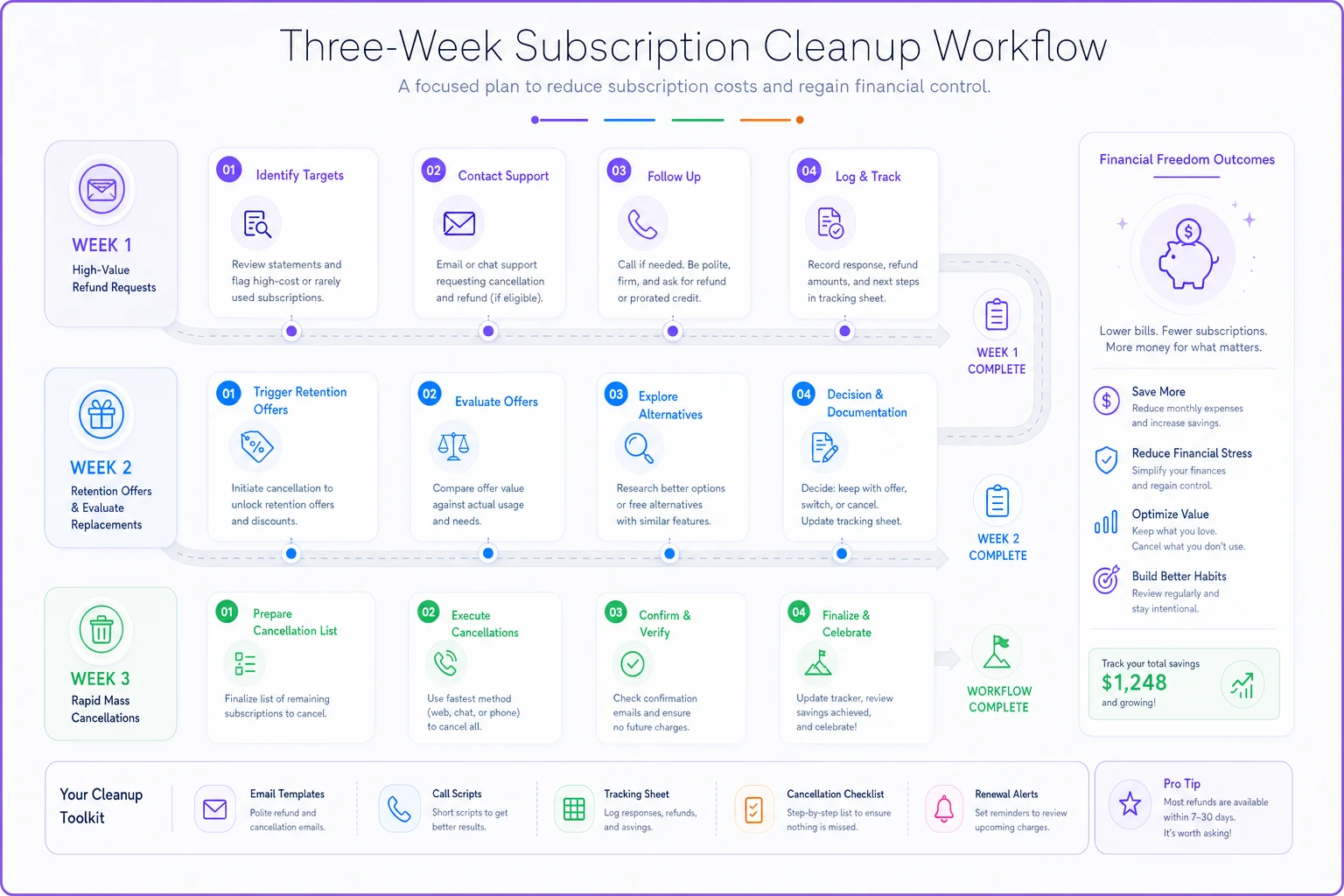
Document everything: confirmation numbers, email confirmations, final billing dates. Roughly 15% of "canceled" subscriptions keep charging, so don't skip this step.
Retuning your automations for post-cleanup reality
After clearing out subscription waste, your monthly cash flow shifts. Most people just pocket the savings and move on. But if you're running automated transfers to savings, investments, or debt payments, this is a good moment to actually redirect those freed-up dollars instead of letting them dissolve into general spending.
Calculate your monthly subscription reduction. Say you cleared $180/month. Your checking account now carries an extra $180 that was previously gone automatically.
Rather than leaving it loose, increase your automated savings transfer by about 80% of that amount ($144 in this case). The remaining 20% stays as buffer for the occasional useful subscription you might add back.
That split matters. Without it, most people cancel ten subscriptions and sign up for twelve new ones within six months. Pre-allocating the bulk to automated transfers locks in the improvement.
Update your budget tracking categories too. Reduce the allocated subscription amount to match your new baseline—otherwise budgeting apps show fake surpluses that quietly encourage overspending elsewhere.
Creating detection systems for subscription creep
Subscriptions grow back. Without a detection system, most people return to their previous load within six months.
The simplest approach that actually works: a quarterly calendar reminder to check your primary payment method for new recurring charges. Set it for the 15th of March, June, September, and December. The 15th works well—most monthly charges have already hit, but credit card payments aren't due yet.
Set the quarterly reminder on the 15th — most monthly charges have already hit but credit card due dates haven't, so you can spot new recurrences without payment noise.
Each check, look specifically for new recurring patterns in the last 90 days, price increases on existing subscriptions, and annual renewals coming in the next quarter. This rhythm catches problems before they compound. You might miss a single $9.99 charge, but you won't miss three months of them.
Our previous deep-dive on subscription detection scans covers more sophisticated monitoring approaches if you want to build a fuller system.
For couples or families with shared subscriptions across multiple payment methods, designate one person as the quarterly subscription auditor. Rotating the role annually helps prevent blind spots that build up when the same person reviews the same accounts repeatedly.
Special situations requiring different tactics
Corporate cards with personal subscriptions: Many professionals accidentally put personal subscriptions on corporate cards, then hesitate to cancel. NYC's new rules give you cover. Email accounting: "I'm cleaning up subscriptions in light of new consumer protection rules. These personal charges need to move off the corporate card: [list]. I'll handle the cancellations this week." Clean and professional.
Family plans you're stuck coordinating: Streaming services, cloud storage, and phone plans often trap one person as the household subscription administrator. During cleanup, message everyone: "Auditing our shared subscriptions due to new cancellation rules. Confirm you're still using: [list]. No response by [date] means I'm canceling." Shifts the burden of continuation to actual users.
Free trials converting to paid: NYC's rules specifically target deceptive trial-to-paid conversions. Every future trial signup should trigger an immediate calendar reminder two days before conversion. Or use a virtual card number you can kill instantly.
Subscription bundles hiding individual services: Amazon Prime, Microsoft 365, Adobe Creative Cloud—these bundles often include services you've never touched. You usually can't cancel individual components, but you can downgrade the whole bundle. Adobe Creative Cloud All Apps ($55/month) becomes Photoshop-only ($21/month). Microsoft 365 Family ($100/year) becomes Personal ($70/year). Small changes that persist indefinitely.
Red flags that need faster action
Some discoveries during your audit shouldn't wait for the three-week plan.
Price increased more than 20% year-over-year. Pull statements from 12–13 months ago. Any subscription that jumped more than 20% without adding meaningful features is exploiting inertia. Cancel immediately, then research alternatives.
Service changed ownership recently. When companies get acquired, billing practices often deteriorate. New owners tend to milk the existing customer base. Any "we're now part of [Bigger Company]" email means that subscription goes on the urgent list.
Auto-renewed after explicitly canceling. This happens more than companies admit. If you find charges after a cancellation, dispute with your credit card immediately while also pursuing a refund from the vendor. Document everything for potential regulatory complaints.
Multiple charges from the same vendor. Duplicate subscriptions are surprisingly common, especially with services that allow multiple accounts. Adobe, Microsoft, and streaming services are frequent culprits—you might be paying for both a personal and an old work account created years apart.
The math of permanent subscription reduction
Here's how the numbers typically shake out for urban professionals who actually finish the audit:
| Metric | Amount |
|---|---|
| Average monthly subscription spend | $273 |
| Realistic reduction after a proper audit | ~35% |
| Monthly savings | ~$95 |
| Annual savings | ~$1,140 |
Invested at 7% annual return, that $1,140 per year compounds to roughly $6,460 after five years, $15,654 after ten years, and $46,892 after twenty years. That assumes no lifestyle sacrifice—just waste elimination.
The compound effect gets better when you factor in that subscription prices typically increase 5–10% annually. Every zombie subscription you kill today would have cost progressively more each year. That $9.99 language app becomes $10.99, then $12.99, then $14.99. Killing it now saves not just today's cost but every future increase.
Building your post-cleanup maintenance routine
After the initial cleanup, the challenge is not sliding back. Constant vigilance sounds reasonable in theory but tends to fail within a few months.
Batching all subscription decisions into quarterly windows works better. Outside those windows, the default answer to new subscriptions is "no" unless something is genuinely critical. This creates natural friction against impulse signups without being completely rigid.
During quarterly windows, the process looks like this:
-
Review existing subscriptions for actual usage
-
Evaluate any service you wanted to add during the previous quarter
-
Check for price increases or service changes
-
Rotate streaming services if desired
This reduces decision fatigue. You're not asking "should I keep this?" every month. You're asking once per quarter, with real data about how much you've actually used something.
For households using AI-powered budgeting tools or operational software, systematic automation rules make the system more durable. Set up notification triggers for any new recurring charge. Flag subscriptions not accessed in 60 days. Alert on price increases above 10%. These automated catches fill in gaps that manual quarterly reviews tend to miss—not as a replacement for the review, but as an early warning layer between them.
The discipline you build managing subscriptions transfers to other financial areas too. The quarterly review rhythm applies equally well to insurance policies, investment rebalancing, and debt strategies.
Why this moment matters more than previous attempts
You've probably tried subscription cleanups before—maybe around New Year's, or after a tight month. This one is different because the regulatory environment is actually shifting in your favor.
NYC's click-to-cancel rule isn't isolated. California has similar rules. The FTC is pursuing federal regulations. The EU keeps tightening requirements. Subscription vendors can't maintain different cancellation flows for every jurisdiction forever—they'll eventually default to the least restrictive process everywhere.
Right now, during this transition, you have maximum leverage. Companies want to avoid regulatory complaints. Customer service has more flexibility. Refund policies are unofficially relaxed. That window closes once new systems are fully implemented.
Pull those statements tonight. Build your list tomorrow. Start cancellations this weekend. The money you're recovering isn't abstract—it's cash you've been losing monthly that can immediately go toward actual priorities.
The click-to-cancel rule makes cancellation easier, but it doesn't make the decision automatic. You still have to act. The difference is that now, when you decide to stop paying for something you don't use, companies can't trap you in a retention maze for 45 minutes. Your subscription inventory is probably 30–40% waste right now. In two weeks, it could be close to zero. That's $100–200 monthly redirected from vendor revenue to your actual goals—but only if you use this regulatory moment to actually do the work, rather than bookmark this article and come back to it never.
Ready to master your money?
Join thousands of users leveraging Savioly to build smarter budgets, save more efficiently, and plan for a secure financial future.