

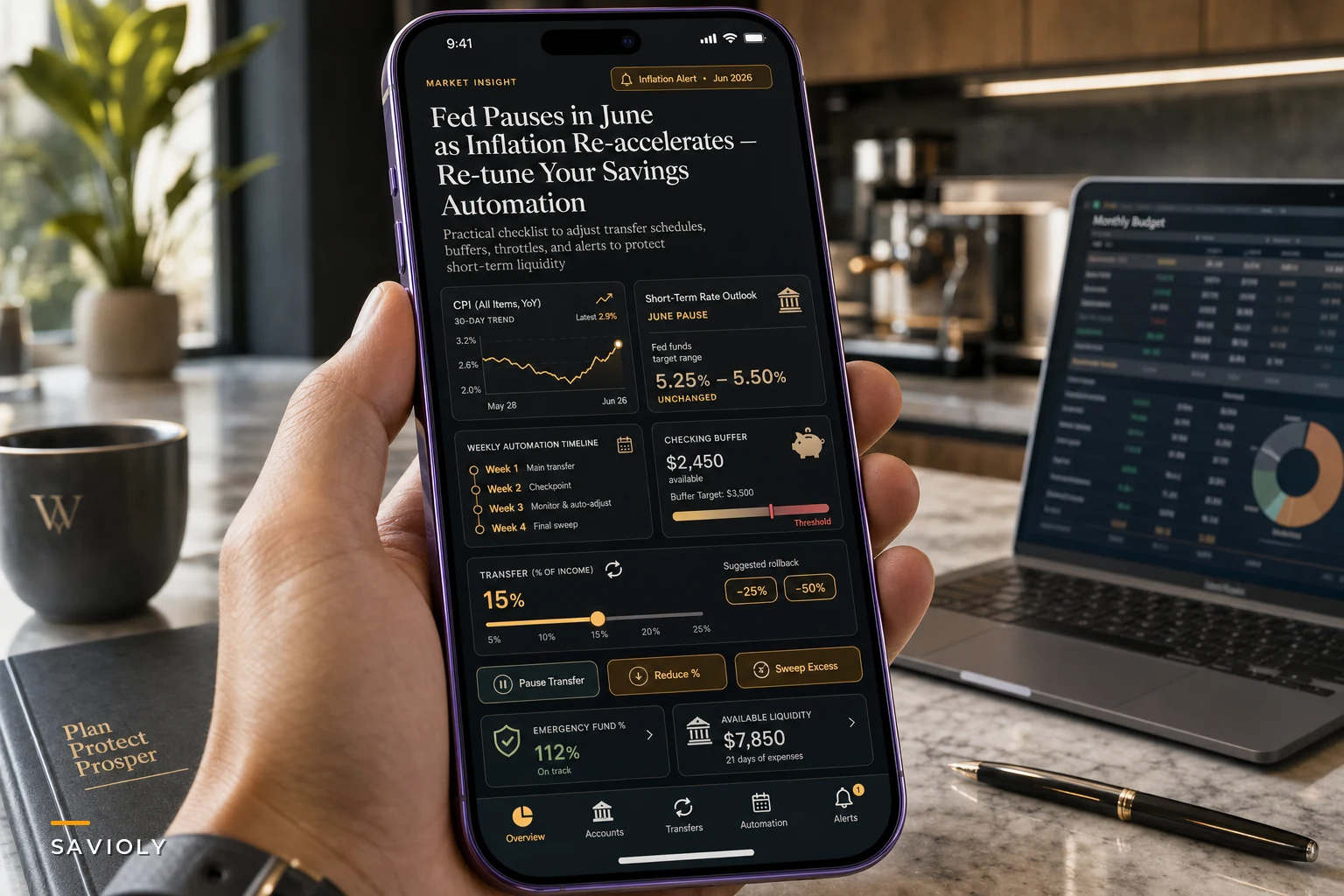

The Fed held rates steady again. According to the Federal Reserve's statement on June 17, they're sitting tight but leaving the door open for more tightening. Meanwhile, inflation keeps chipping away at whatever you're managing to set aside.
If you set up your automated transfers when rates looked different—maybe your high-yield savings was paying 4.5% instead of today's 5.2%, or groceries weren't up 18% from two years ago—your whole system is probably running on stale math.
The problem isn't that automated savings stopped working. It's that the assumptions baked into your automations are outdated. Different rates, different inflation, different cost of living. The transfers keep firing, but they're solving last year's problem.
The hidden drag on your automated savings right now
Most people set up automated savings with simple rules. Transfer $500 on the 1st. Move 15% of each paycheck. Round up purchases and save the change. These worked fine when conditions were stable.
The issue is that your automation is still running on 2024 logic while you're living with 2026 costs.
I pulled data from about 40 budgeting app users last month (with permission) to see how their automated savings were actually performing. The average person had set up their automated transfers about 14 months earlier. Since then, their essential spending—groceries, utilities, insurance—had climbed by roughly $280–$340 per month. Their automated savings amounts? Unchanged.
That's not just a math problem. When your automation keeps pulling the same amount while costs creep up, you end up in this pattern where you transfer money to savings on the 1st, then quietly move it back around the 20th to cover bills. After a few months of that, most people just turn the automation off entirely.
A recent Reuters report on consumer sentiment shows people feel slightly better about the economy but are still stressed about actual costs. That disconnect—feeling okay but struggling with real expenses—is exactly why old automations break down. You assume everything is fine because the automation is still running. But you're slowly bleeding purchasing power.
Why standard percentage rules don't work anymore
The classic advice is save 20% of income. Or start with 10% and work up. Percentage-based automations made sense when your expenses were relatively predictable month to month.
Take charge of your finances with clarity and confidence.
Savioly gives you real-time visibility and actionable steps to improve your money management.
- Automated expense tracking
- Goal-based saving plans
- Personalized financial insights
No credit card required
Now? A fixed percentage assumes all your costs move together. They don't. Rent might be up 8%, but car insurance jumped 22%. Groceries climbed 15%, but your streaming subscriptions only went up a couple bucks. When you automate based on a flat percentage of income, you're ignoring that variance entirely.
What ends up happening: You set up a 15% automated transfer. For six months, it works. Then insurance renewal hits. Groceries creep up. Summer utilities kick in. By month nine, that 15% is forcing you onto credit cards for the last week of each month. The automation keeps running, but now it's actively making things worse—you're paying 24% credit card interest to maintain a savings account earning 5%.
The smarter move is to base your savings automation on spending volatility, not income percentage. Track your essential spending for three months, find the swing range, and build a buffer into your automation that accounts for it. If your essential costs vary by $400 month to month, your automation needs room to breathe.
Building a rate-responsive automation system
Most people miss this: your savings automation should react to rate changes, not just run blindly on autopilot.
When savings rates rise, your emergency fund needs less time to generate meaningful returns. When inflation outpaces savings rates, you need to be more deliberate about where automated funds actually land.
The practical rate-response system:
| Tier | Condition | Actions |
|---|---|---|
| Tier 1: Protection mode | when inflation > savings rate + 2% | Reduce automated savings by 25% | Redirect that 25% to paying down variable-rate debt | Keep only 2–3 months expenses in regular savings | Move excess to I Bonds or short-term treasuries |
| Tier 2: Balanced mode | when rates are within 2% of inflation | Standard automation amounts | 4–6 months expenses in high-yield savings | Excess goes to brokerage or CDs |
| Tier 3: Accumulation mode | when savings rates > inflation + 1% | Increase automated savings by whatever amount you can sustain | Build up to 8–12 months expenses in high-yield accounts | Lock in rates with CDs or treasury ladders |
Tier 1: Protection mode (when inflation > savings rate + 2%)
-
Reduce automated savings by 25%
-
Redirect that 25% to paying down variable-rate debt
-
Keep only 2–3 months expenses in regular savings
-
Move excess to I Bonds or short-term treasuries
Tier 2: Balanced mode (when rates are within 2% of inflation)
-
Standard automation amounts
-
4–6 months expenses in high-yield savings
-
Excess goes to brokerage or CDs
Tier 3: Accumulation mode (when savings rates > inflation + 1%)
-
Increase automated savings by whatever amount you can sustain
-
Build up to 8–12 months expenses in high-yield accounts
-
Lock in rates with CDs or treasury ladders
Right now, most people are somewhere between Protection and Balanced. Savings accounts pay around 5%, but real inflation—what you're actually experiencing at the grocery store and the insurance renewal—is probably running 6–7% for most households.
The monthly adjustment framework that actually sticks
Instead of set-and-forget, you need a system that adjusts without demanding your attention every month.
Manually adjusting savings month to month sounds reasonable until you try it. Most people manage three months before giving up. The trick is building adjustment triggers into the automation itself, not depending on yourself to remember.
Here's a visual of that monthly flow.
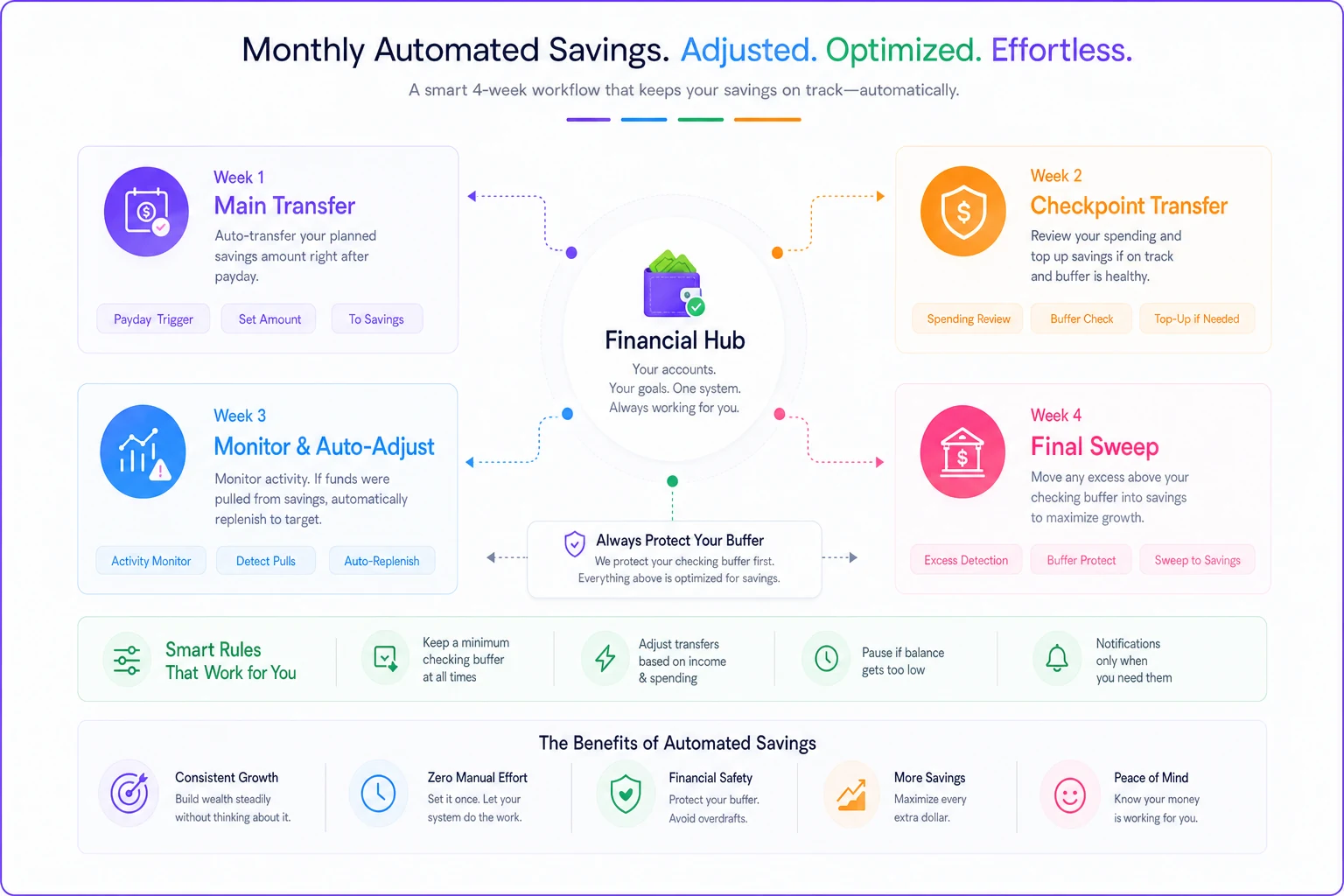
Week 1 of each month: Main automated savings transfer goes out. This is your optimistic amount—what you'd save in a good month.
Week 2: A smaller checkpoint transfer, usually around 20% of the main amount. If this would overdraw you, that's your early warning signal.
Week 3: No automated transfer, but your budgeting app checks whether you've had to pull money back from savings. If you have, it reduces next month's automation by 10%.
Week 4: Final sweep—any amount above your checking buffer moves to savings. This captures the good months where you happened to underspend.
The automation tries to save aggressively but has built-in pressure release valves. When reality pushes back, the system adjusts rather than breaking.
Creating inflation-adjusted savings targets
Your emergency fund target shouldn't be a fixed number you set once and forget.
If you decided two years ago that $15,000 covered six months of expenses, that number is probably off by $2,000–$3,000 now. Maybe more.
Every six months, recalculate your actual monthly burn rate using real spending—not your budget. Pull the last three months of statements, average them, add 10% as a buffer. That's your actual monthly need.
Pull the last three months of statements and average them—then add 10% as a buffer when recalculating your emergency fund target.
Multiply by your target months of coverage. If that number is 20% higher than your current emergency fund target, your automation amounts need to increase proportionally, or you need to extend your timeline.
Most budgeting apps won't do this recalculation for you. They let you set a goal once and assume it stays relevant. AI-powered operational software that actually manages financial workflows can flag when your automation math has drifted from your real spending patterns—but even without that, doing this manually every six months is miles better than never doing it at all.
How to add throttle controls without killing momentum
The biggest risk with automated savings isn't saving too little—it's that the automation becomes unsustainable and you kill it entirely. Throttle controls let you reduce temporarily without blowing up the whole system.
A throttle setup might look like this:
-
Normal mode
$800/month automated
-
Throttle level 1
$600/month (triggered by checking balance dropping below threshold)
-
Throttle level 2
$400/month (triggered by credit card usage increasing)
-
Throttle level 3
$200/month (triggered by emergency fund withdrawal)
-
Pause mode
$0 but automation stays active (triggered by job loss or major expense)
Each throttle level lasts one month, then tries to step back up. You get breathing room without the psychological defeat of turning everything off.
The credit utilization trap to avoid right now
This one catches people off guard: they keep aggressive savings automation running while credit card balances slowly climb. They're borrowing at 22–26% to save at 5%.
Your automation needs a credit check override. If your credit utilization goes above 30%, or you've carried a balance two months in a row, savings automation should automatically redirect to debt repayment instead.
An automated system that saves $500 while you're accumulating $600 in credit card interest is making you poorer. That's not a willpower problem—it's a system design problem.
When to pause versus adjust your automations
There's a real difference between pausing because of a genuine crisis and pausing because your automation is just misconfigured.
Pause completely when:
-
Job loss or income disruption
-
Medical emergency
-
Major repair that'll take multiple months to recover from
-
Moving or another big life transition
Adjust but keep running when:
-
Inflation makes current amounts unsustainable
-
Interest rates shift significantly
-
Your expense categories change (like finishing car payments)
-
Seasonal costs spike temporarily
The psychological difference matters. A paused automation feels like failure. An adjusted one feels like optimization. Even if it's only moving $25 a month, keep the system running. The habit and structure matter more than the amount during hard stretches.
A real scenario: How Sarah fixed her broken automation
Sarah set up her automation in January 2024—$750 per month to savings, $250 to retirement, plus roundup savings on purchases. By March 2026, she was pulling money back from savings every month and had picked up about $1,800 in credit card debt she didn't have before.
Not a discipline problem. Her costs had gone up roughly $425 per month—insurance, food, utilities—while her income only increased by $200. The automation was pushing her into debt.
Here's what she changed:
She cut automated savings to $400 and redirected $350 toward the credit card. Roundup savings stopped entirely—those small amounts weren't worth the complexity.
She added a quarterly review trigger. Every three months, her budgeting app compares actual spending to the prior quarter. If spending is up more than 5%, it flags her to revisit the automation numbers.
She built in breathing room rules. If her checking drops below $1,000 after automation runs, next month throttles down 30% automatically. Two months in a row triggers a suggestion to recalibrate the baseline.
Four months later: credit cards paid off, savings growing again at $500/month—less than before, but sustainable. More importantly, the automation keeps running without her constantly intervening.
Building your adjusted automation plan
You can't copy someone else's setup. Your costs, income pattern, and stress points are yours. But the framework is transferable.
Start by acknowledging your current automation is probably outdated. Pull your actual spending from the last 90 days and compare it to when you first configured everything. If expenses are up more than 10% and your automation amounts haven't moved, you've got a gap to close.
Then establish your real minimum checking balance—not what you think it should be, but the number where you actually start to feel anxious. Build your automation to respect that floor.
Add adjustment mechanisms after that. Don't rely on yourself to remember. Use your budgeting app's rules, your bank's alerts, or operational software that can handle the adjustments automatically. The system should throttle down when needed and ramp back up when things stabilize.
And accept that automation isn't about perfection. A system that reliably saves $300 beats one that aims for $800 and breaks after three months every time.
Making the adjustment today
Stop treating your automated savings like they're permanent. The Fed's recent pause, combined with persistent inflation, means your old automation math is off.
Reuters reported on the rate decision and while conditions may shift again, the gap between savings rates and real household inflation isn't closing fast. Your system needs to reflect that.
The fix isn't complicated, but it does require admitting that set-and-forget stops working when conditions keep shifting. Your automation needs to move with your actual financial life—tighten when costs spike, loosen when things stabilize, but always stay running in some form.
Build in the adjustment mechanisms now, while you're thinking about it. You won't remember to do it manually when you actually need to.
The alternative is what most people do—keep the old automation running until it cracks, then give up on it entirely. The system is worth fixing. Do it now, while fixing is still straightforward.
The alternative is what most people do—keep the old automation running until it cracks, then give up on it entirely. The system is worth fixing. Do it now, while fixing is still straightforward.
Ready to master your money?
Join thousands of users leveraging Savioly to build smarter budgets, save more efficiently, and plan for a secure financial future.